Works on chrome - think it works on others just Google it.
https://chromewebstore.google.com/detai ... bgfebibffe
Add to browser and make sure you pin it to your toolbar - it`s a blue square with a white "down pointing arrow"

Play a video for a few seconds, click the square, click video then select the biggest time/size.
Works on virtually all porn sites and non porn sites like Daily Motion
The blurb says it doesn`t work on Youtube - BUT it does.
On Youtube, if you just want the audio only for your music collection, do the following.
Click on the blue box.
You should get something like this
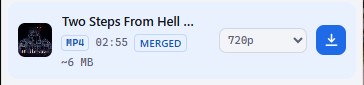
Click on the video format box - in this case - 720p
Then you will get 2 audio formats mp3 and m4a
Select your choice and down load.
It can be a bit slow but you can have a few going at the same time.